
RecceNotes
RecceNotes
by Tavar's Garage
🇬🇧EN

Rally pacenotes · Digital · Real time · Paper

Rally pacenotes with digital collection, real-time communication and paper export.

RecceNotes is a digital tool for rally teams that want to collect, review, organise and export recce notes faster, more consistently and in a way that fits their own method.

Digital during collection. Real-time communication. Paper on the road. The driver collects notes during recce, the co-driver receives and reviews them in real time, and the team validates a final version ready for CSV or an A4 PDF roadbook.

RecceNotes

Recce workflow

An app built for real rally recce.

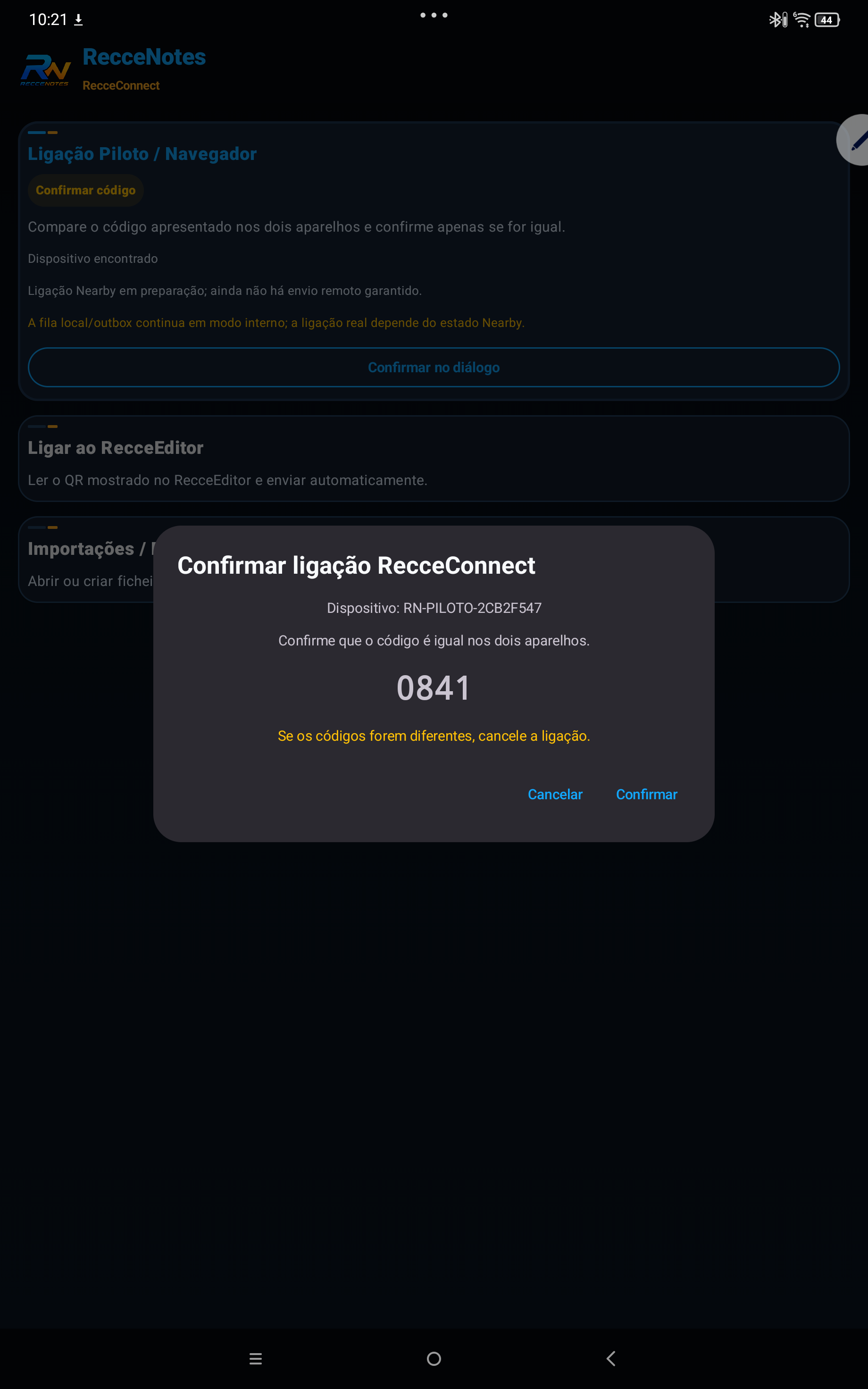
RecceNotes follows the working flow between driver and co-driver: phone fixed to the steering wheel, rotation/orientation support, simple Bluetooth remote, real-time sending and an offline queue to protect notes if the connection drops.

01

Configure the team method

Set degrees, note logic, abbreviations, symbols and reading preferences according to the driver and co-driver workflow.

02

Collect with digital support

With the phone fixed to the steering wheel, the app supports collection through device orientation/rotation and can be used with a simple Bluetooth remote.

03

Send to the co-driver

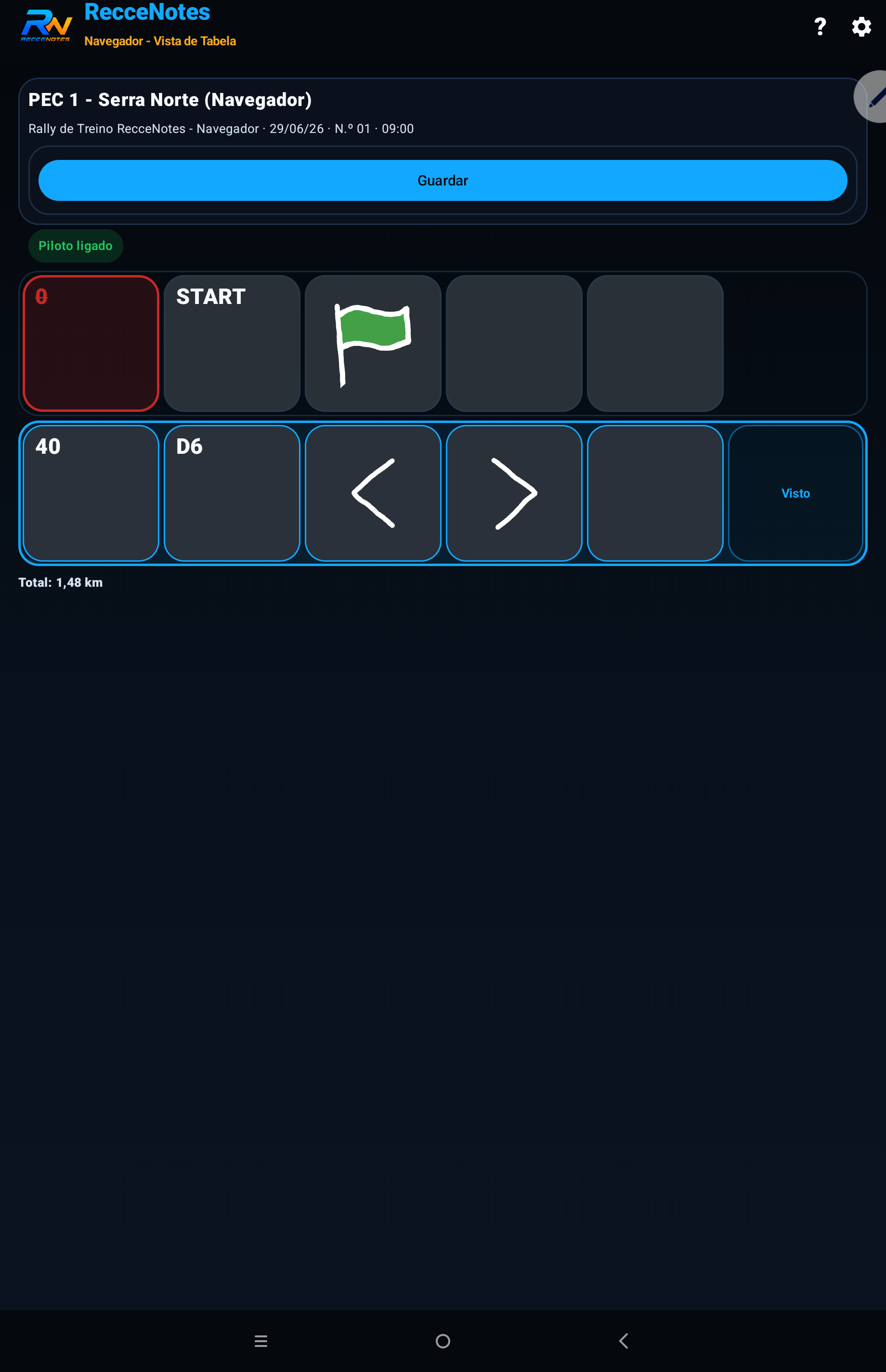
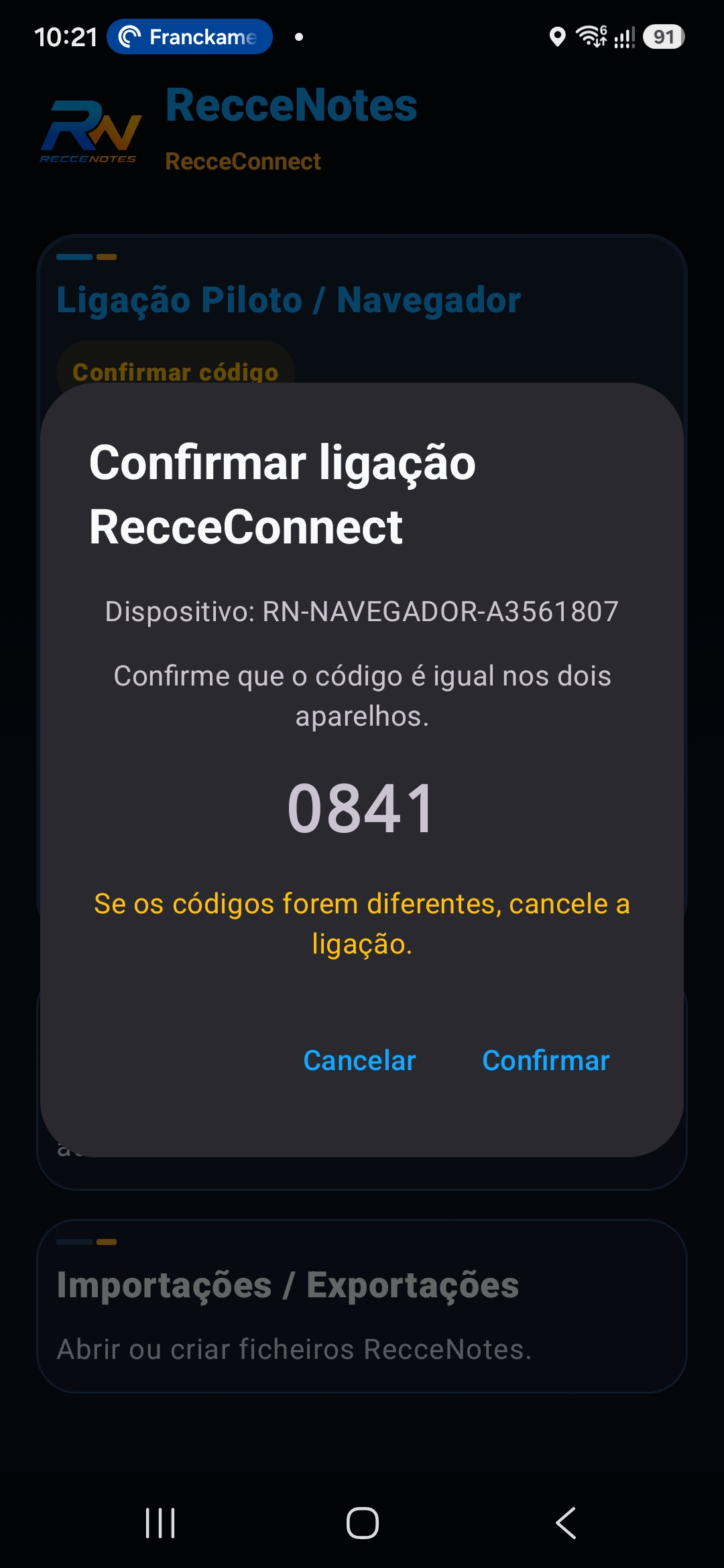
Notes created by the driver can reach the co-driver in real time, allowing review to start during the recce process.

04

Protect the work offline

If the connection drops, data remains stored locally and ready to sync when communication returns.

05

Review, complete and validate

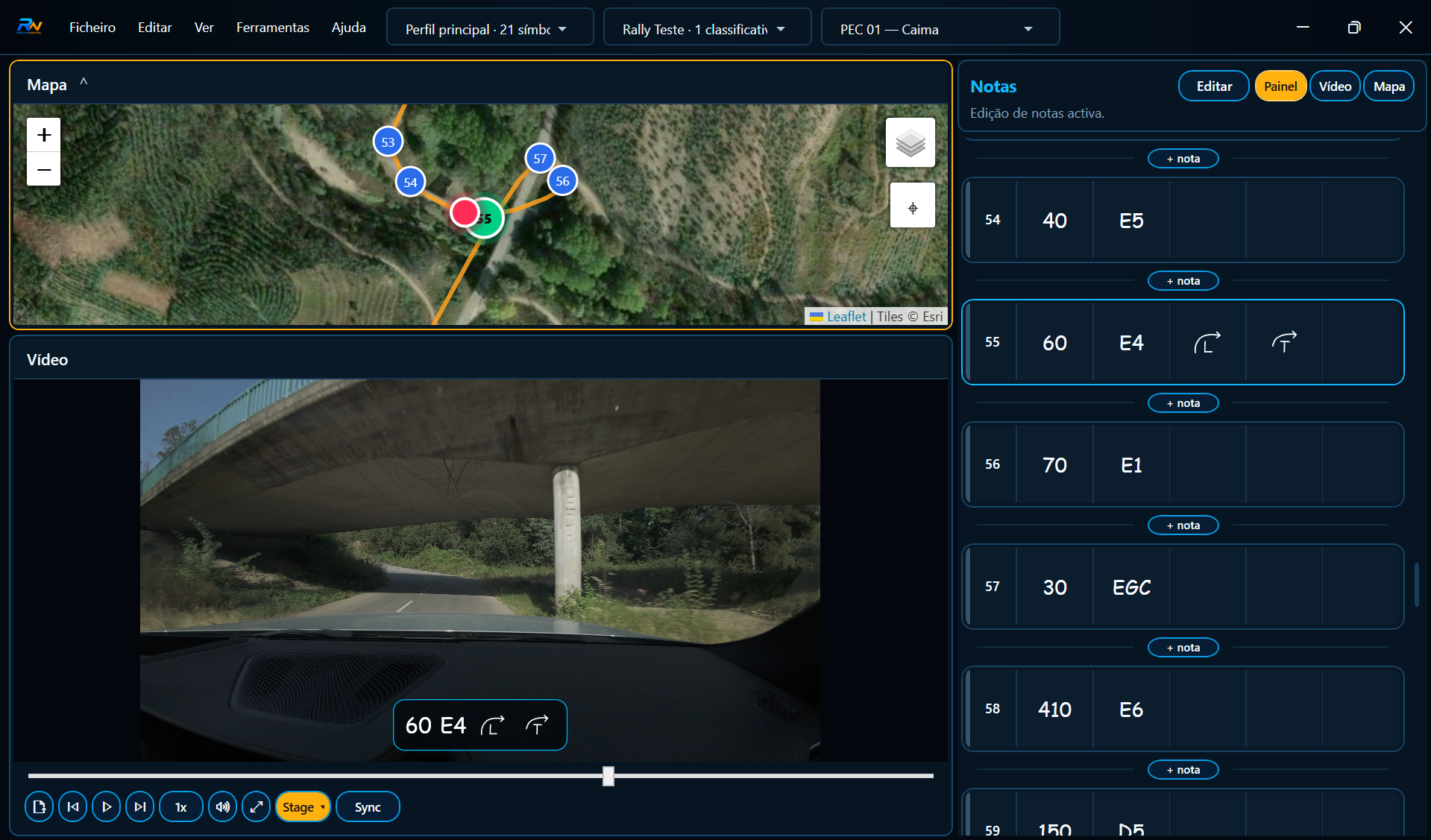
The co-driver corrects, completes and prepares a reviewed version, which the team can confirm in real context according to the event format.

06

Export to CSV and PDF roadbook

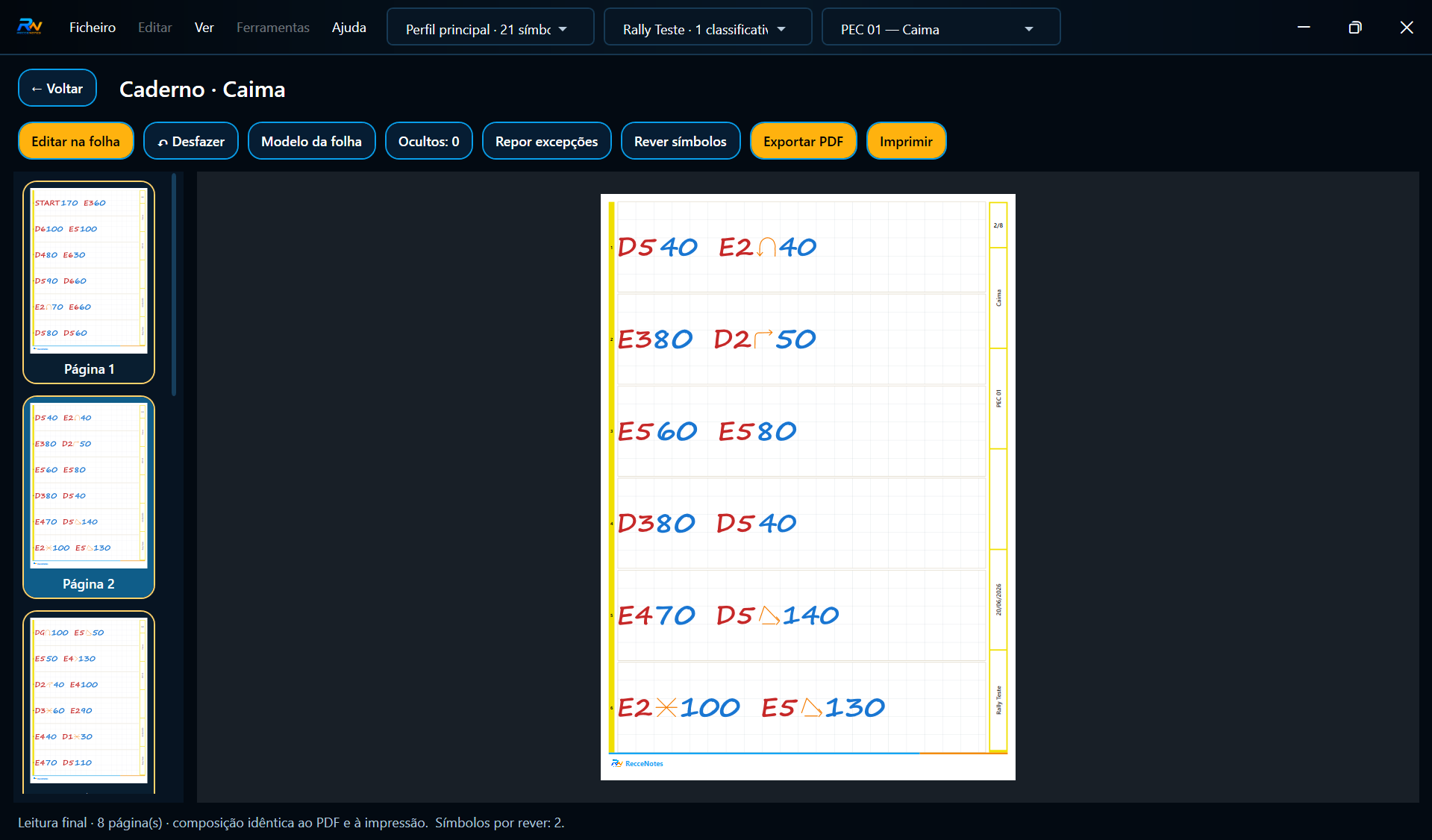
At the end, the team can export CSV for technical analysis and A4 PDF in co-driver roadbook format, ready to print.

In practice

Real-time communication. No lost notes if the link fails.

During collection, notes created by the driver reach the co-driver for review, correction and completion. The co-driver can prepare a reviewed version while recce is still happening, reducing lost information, avoiding rework and speeding up the final roadbook preparation.

Driver → co-driver in real time

The driver always saves locally first and the app sends notes/events to the co-driver in real time when a connection exists.

Offline safety queue

If communication fails, the workflow stays protected: data remains stored locally and syncs when the link returns.

Final review back to the driver

After checking, the co-driver sends the final reviewed version to the driver so the team can validate and export it.

Fixing the device to the steering wheel, using a remote, validating notes, distances, symbols, indications and exported files are always the user’s responsibility.

Real app screenshots

Current screens and planned evolution.

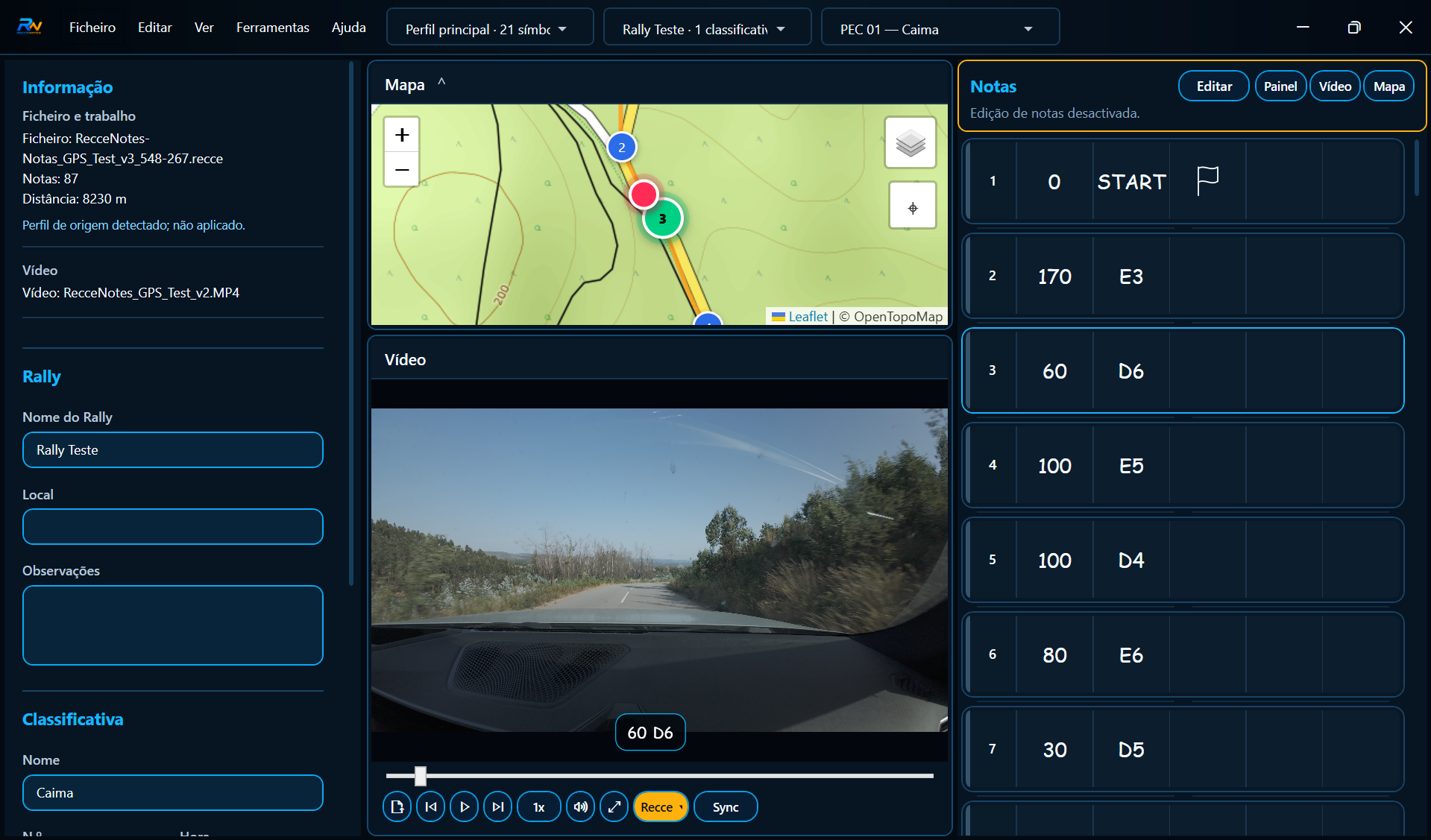
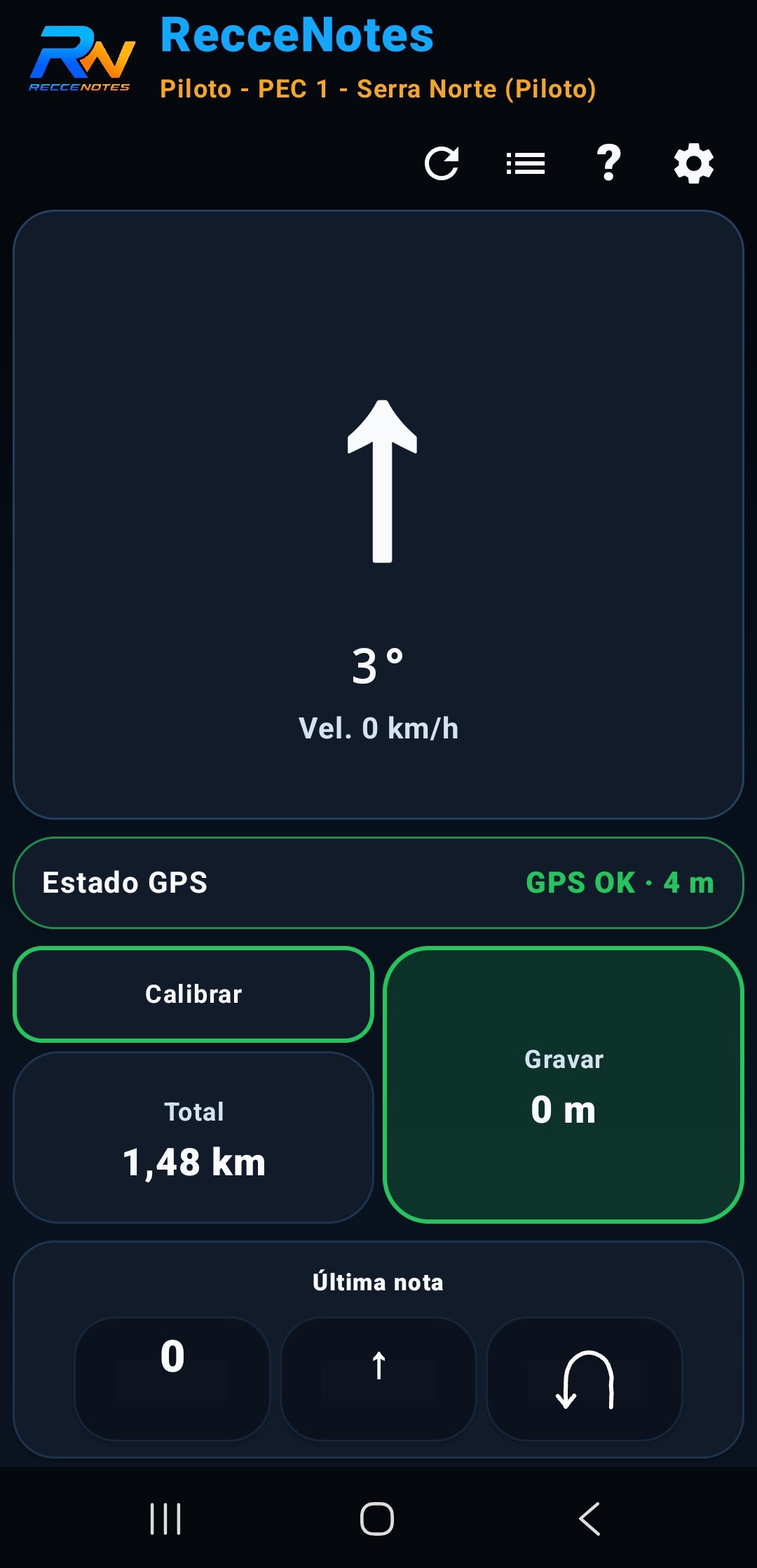
The screenshots below are real screens from the current app. They show the existing foundation: setup, collection, management, review and export. The cards that follow describe features in development, without simulating screens that are not yet part of the current interface.

Configure the driver style
Adjust collection settings
Create and manage stages
Collect notes in the car
Quick indications and symbols
Review and organise notes
Export A4 PDF roadbook

Features in development

The next step in the RecceNotes workflow.

These cards describe planned features for the evolution of RecceNotes and may not be available in every test version.

01

Real-time communication

Sending notes from the driver to the co-driver during collection, with offline queue protection.

02

Co-driver review

The co-driver will be able to correct, complete and prepare a reviewed version of the stage.

03

Final synchronisation

After validation, reviewed changes may be synchronised back to the driver device.

04

Custom library

Creation of symbols, warnings, abbreviations and shortcuts adapted to the team method.

Digital during collection. Paper on the road.

Paper remains the preferred format for many co-drivers in competition. RecceNotes does not try to force that method away: it improves the process before paper.

During recce, the driver collects with digital support. Notes are stored locally, sent in real time to the co-driver and protected by an offline queue if the connection fails.

The co-driver reviews, corrects, completes and prepares a revised version. When there is a verification phase, the driver checks the notes in real context and the team validates the final version.

The symbol, alert, abbreviation and indication library can adapt to the team method. The app adapts to the co-driver — not the other way around.

At the end, the team can export CSV for analysis, archive or technical sharing, and A4 PDF as a co-driver roadbook ready for printing and practical road use.

Final validation of notes, distances, indications, symbols, exported files and use on road or in competition is always the user’s responsibility.

RecceNotes FAQ

Frequently asked questions about digital rally pace notes.

Short answers explaining what RecceNotes is, how it fits into rally reconnaissance and which parts are still part of the planned app evolution.

What is RecceNotes?

RecceNotes is a rally pace notes app designed to collect, review, organise and export reconnaissance notes faster and more consistently.

Does RecceNotes replace the paper notebook?

Not necessarily. The app improves the preparation process before paper and can export an A4 PDF notebook when the team wants to keep that format.

Can the app export notes to PDF and CSV?

Yes. RecceNotes is designed for technical CSV export and A4 PDF notebook generation, useful for archiving, review and practical use.

Is RecceNotes designed for driver and co-driver?

Yes. The app follows the workflow between driver and co-driver: collection, review, validation and preparation of the final version.

Can the app work without a permanent connection?

The working base is local. Collaborative features use synchronisation when a connection exists and should protect work with an offline queue when applicable.

Is real-time communication available in every version?

Driver-to-co-driver communication, collaborative review and final synchronisation are part of the RecceNotes evolution and may not be available in every test version.

Google Play

Google Play — in testing

RecceNotes is in testing and being prepared for publication. When the public Google Play listing is available, this section will include the direct installation button.

Google Play — in testing